Nicholas Quirk
Systems Administrator

Nicholas Quirk

Microsoft 365 · Identity and security · Windows and Linux infrastructure

I lock down Microsoft 365 and Entra ID, run the Windows and Linux infrastructure behind them, handle security incidents when they land, and write the runbooks so the next tech is never guessing.

  • 3+ yearscorporate IT
  • ~20 yearshomelabbing
  • 5CompTIA certifications
  • 10written-up case studies
nquirk@infra: ~ (status)
Entra IDWindowsMicrosoft 365Linux Hyper-V / ESXiDefender / PurviewDebian / Proxmox
PS> Get-MgOauth2PermissionGrant -All | Measure-Object
Count : 33  ->  revoked 4, 29 remain
PS> Revoke-MgUserSignInSession -UserId $user
OK  sessions revoked, MFA re-enrolled live
93documentation files migrated
33delegated permissions audited
10backup agents deployed
30external guests scoped to Read
4weeks to a full phone migration
Selected work

Things I have owned and fixed

Real problems from production environments. Client details stay out, the work stays in.

Incident response

Two confirmed AiTM phishing compromises

Traced stolen session tokens through Entra audit logs, removed an attacker-created OAuth app and an MFA backdoor, revoked sessions, re-enrolled MFA live with the user and ran a Purview audit search across the incident window.
Least privilege

Cutting delegated access to what is needed

Audited third-party enterprise apps holding 33 delegated Graph permissions, revoked four scopes, enforced assignment-required and limited access to the approved user. Scoped guest access in SharePoint to site-level Read for 30 external users instead of group-wide Edit.

Backup and DR

BCDR platform rollout

Co-led a rollout across 2 appliances, 10 server agents and 2 clients. Root-caused VSS and Windows Server Backup conflicts, mitigated them across every agent and wrote the deployment procedures and a 14-section technician wiki.

Conditional Access

Fixing a geo-block without loosening policy

Diagnosed a vendor lockout from sign-in logs and fixed it with a scoped exclusion group instead of relaxing tenant policy. Obtained documented client approval and raised the guest MFA gap.

Performance

ERP slowness across Hyper-V, IIS and SQL

Ruled out resource pressure, then found unrotated logs, a 78 GB leftover file and app pool settings, and closed a backup coverage gap. Every change ran behind client approval gates and rollback plans.

Migration

Landline to Teams Phone in about four weeks

Sole technician on a multi-tier auto attendant build with time-of-day routing, voice-recognition directory dialing, vendor contract handling, licensing, 911 compliance testing and full documentation. Still running in production.

See all 10 case studies Skills, mapped to the work

Experience

Where I have worked

Three roles, one direction: more ownership, more security, more of the hard problems.

2026 to present

Systems Administrator, multi-tenant managed services

  • Security incident response, Microsoft 365 and Entra administration, infrastructure projects and escalations across a broad client base.
  • Own the new-client onboarding standard: audit checklists, report templates for network, Microsoft 365 and AD, kickoff and tracking documents.
  • Triage MDR alerts with MITRE ATT&CK mapping, run Microsoft 365 offboarding to a documented standard and keep the documentation current.
2025 to 2026

Systems Administrator, fine-art business

  • Sole technician for Windows and Linux servers, Microsoft 365, networking, Sage 300 ERP, the corporate website and web shop, and secure card access.
  • Implemented MFA and Conditional Access, managed switching, firewall and VPN, and ran Hyper-V and VMware ESXi.
2023 to 2025

Junior Systems Administrator, managed services

  • Primary administrator for a high-value client across core infrastructure, Microsoft 365 and end-user support.
  • Administered mobile device management for a COBO environment and supported an organization-wide Windows 11 migration.
Credentials

Certified, and you can check

Every badge links to its live Credly record, so nobody has to take my word for it.

Security+CompTIA

CompTIA Security+ ce

Threats, identity and access, security operations and incident response.

Verify on Credly →
Network+CompTIA

CompTIA Network+ ce

Network design, configuration, troubleshooting and security.

Verify on Credly →
CIOSCompTIA

CompTIA IT Operations Specialist

Stackable certification earned through A+ and Network+.

Verify on Credly →
CSISCompTIA

CompTIA Secure Infrastructure Specialist

Stackable certification earned through A+, Network+ and Security+.

Verify on Credly →
Capabilities

Toolbox

Platforms and tools I use day to day.

Microsoft cloud and identity

  • Microsoft 365
  • Entra ID
  • Conditional Access
  • MFA
  • Exchange Online
  • Intune
  • Purview
  • SharePoint Online
  • Azure
  • GDAP and Partner Center

Security and response

  • Incident response
  • AiTM investigation
  • OAuth security
  • MDR alert triage
  • MITRE ATT&CK
  • Least privilege
  • Duo
  • Phishing analysis

Systems and virtualization

  • Windows Server
  • Active Directory
  • Group Policy
  • Hyper-V
  • VMware ESXi
  • Linux
  • macOS
  • IIS
  • DHCP and DNS

Backup and disaster recovery

  • Slide BCDR
  • Datto BCDR
  • Datto SaaS Backup
  • Windows Server Backup
  • Recovery planning

Networking

  • Cisco Meraki
  • Fortinet
  • WatchGuard
  • SonicWall
  • UniFi
  • VLANs
  • VPN
  • RADIUS

Automation and development

  • PowerShell
  • Bash
  • Python
  • C#
  • Task Scheduler
  • cron
  • Custom internal tooling
Platforms

macOS, Linux, Windows, Android and iOS

macOS is my daily driver, Linux runs my servers, and Windows is there when nothing else will do. I support and administer all of it, servers and endpoints, desktops and phones, including mobile device management.

macOS

At work: Endpoint support and administration of Macs alongside Windows fleets.

At home: My daily driver since 2022. I am a UNIX man at heart, and the MacBook is where I work, write code and run the whole lab from.

Linux

At work: Server administration and scripting in Bash and Python, including Samba and Webmin file services.

At home: Hosts my servers, and runs on a few endpoints that serve as my server admin consoles.

Windows

At work: Server and endpoint administration: Active Directory, Group Policy, Hyper-V, IIS, DHCP and DNS. I support Windows Pro editions, including the latest releases.

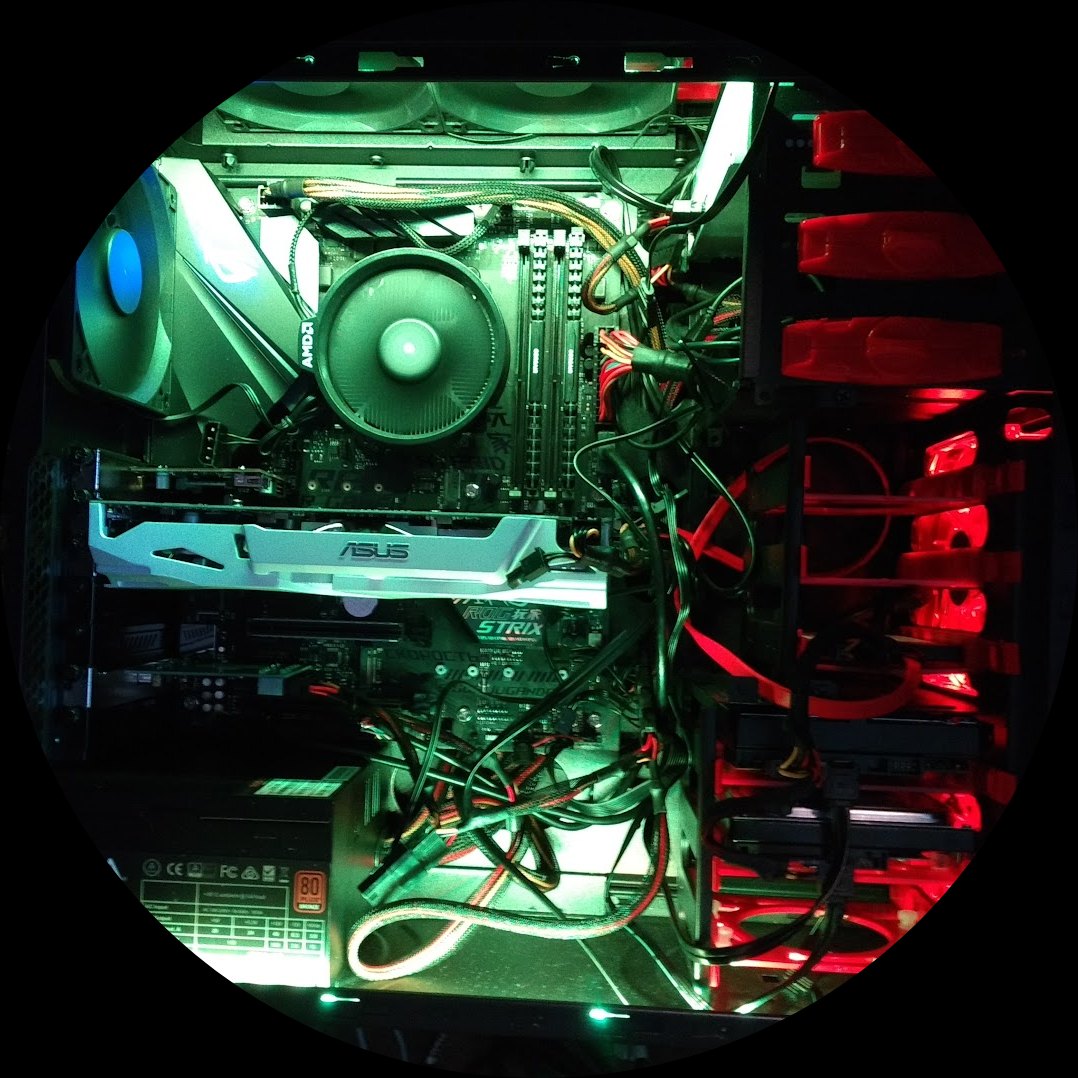
At home: No longer my daily driver. I keep it for the edge cases where only Windows works. In the lab it is almost exclusively Windows 11 Enterprise LTSC 24H2 and Windows Server 2025, because I prefer long term stability, and I host Windows Server architecture there. I even turned my gaming PC into a cloud game hosting server.

Android and iOS

At work: Mobile support and administration for users, including MDM enrollment, policy and device management through Intune.

At home: Android, iOS and iPadOS learned from the inside through years of homelabbing.

The homelab

My portable devices are control panels. The servers do the work.

I run distributed computing at home and pick the right tool for each job. The heavy lifting lives on servers, and the machines I carry stay light.

nquirk@lab: ~ (control plane)
MacBookcontrol paneliPhonecontrol panelEncrypted VPN tunnelno open portsWindows serverVIDEO RENDERLinux serverCODE COMPILElid closed, phone lockedstill running
Cross-platform

Windows, Linux and macOS, seamlessly

macOS has been my daily driver since 2022 and I am a UNIX man at heart, but I move between all three without thinking about it. I often connect to the Linux servers and Windows Server architecture in my homelab from my MacBook, so each job runs on the platform that suits it. Even my gaming PC doubles as a cloud game host.

Offloaded jobs

Start it, close the lid, come back later

From a MacBook or an iPhone, anywhere I happen to be, I remote into a server and start a video render or a code compile. Then I shut the MacBook or lock the phone and put it away. The server keeps working, nothing gets interrupted, and I pick it back up when I am ready.

Security

VPN only, nothing port forwarded

Every connection goes through a secure VPN tunnel. Nothing in the lab is port forwarded to the open internet.

Beyond the day job

Where the lab takes me deeper than the job does

Work shows me how things run at a company. The lab is where I get the extra reps: designing, securing, breaking and rebuilding the whole stack myself, end to end, further than any ticket asks for.

Architecture and design

Systems design and architecture, from bare metal up

I pick the parts, build or upgrade the servers myself and install from bare metal to the OS that fits the job. From there I set up the back end, configure services with separate back ends and front-end UIs, design secure remote access, harden every box and keep it patched on a regular cycle. Servers do the heavy work while a MacBook and iPhone act as control panels.

Security architecture

Zero exposed services

VPN-only access, segmented VLANs, internal firewall rules and nothing port forwarded. Management consoles and media servers stay off the open internet by design.

Virtualization and disaster recovery

A real outage, fully recovered

I run a Proxmox VM farm with snapshots and full drive image backups. When my mini PC server's SSD died in front of me, with no hope of data recovery, I restored the whole VM farm from cold backups and had the server fully rebuilt within about two days of the replacement drive arriving. Then I cloned a full image with dd so the next recovery is even faster.

Identity and email security

My own Microsoft 365 tenant, hardened

Spoof detection, external tagging, retention and login auditing, with SPF, DKIM and DMARC on my own domains.

Platform ownership

This website, built and run like production

A serverless edge app on Cloudflare Pages, Workers and KV, an MFA-protected admin panel, strict security headers and a domain cutover with zero email downtime.

Automation

Scripts and tools that run the lab for me

cron, Task Scheduler and Group Policy for routine maintenance, plus tools I wrote in C# and Python and packaged for real installs.

Monitoring

I know when something is wrong before I notice

I started on Grafana, then built my own resource monitoring app that tracks uptime, resource use and system health across every node. I also deploy and maintain RMM tooling on the servers.

Break-glass toolkit

A trusted environment on any hardware

A persistent Linux install on a USB key that boots the same OS and tooling on any machine, plus Ventoy keys loaded with Windows and Linux recovery images and server and workstation installers. A digital Swiss Army knife for getting any computer working, fast.

Leadership

Coordinating the people, not just the tech

On the company side I managed our MSP relationship and brought in their technicians for projects like an office refresh: working with stakeholders on change requests, organizing and delegating the work, and keeping it accurate and on time against tight deadlines.

Approach

How I work

Verify before alarming

I confirm what is real internally before a client hears about it. False positives get ruled out without switching detections off.

Change with a plan

Approval gates, a stated rollback, agreed downtime windows and plain-language client updates, every time.

Document as I go

Structured notes, runbooks and a wiki with a known-gotchas section that grows with every incident.

Escalate with judgment

Scoping and approval decisions go to the people who own them, and I correct my own wrong theories before they reach a client.

Behind the keyboard

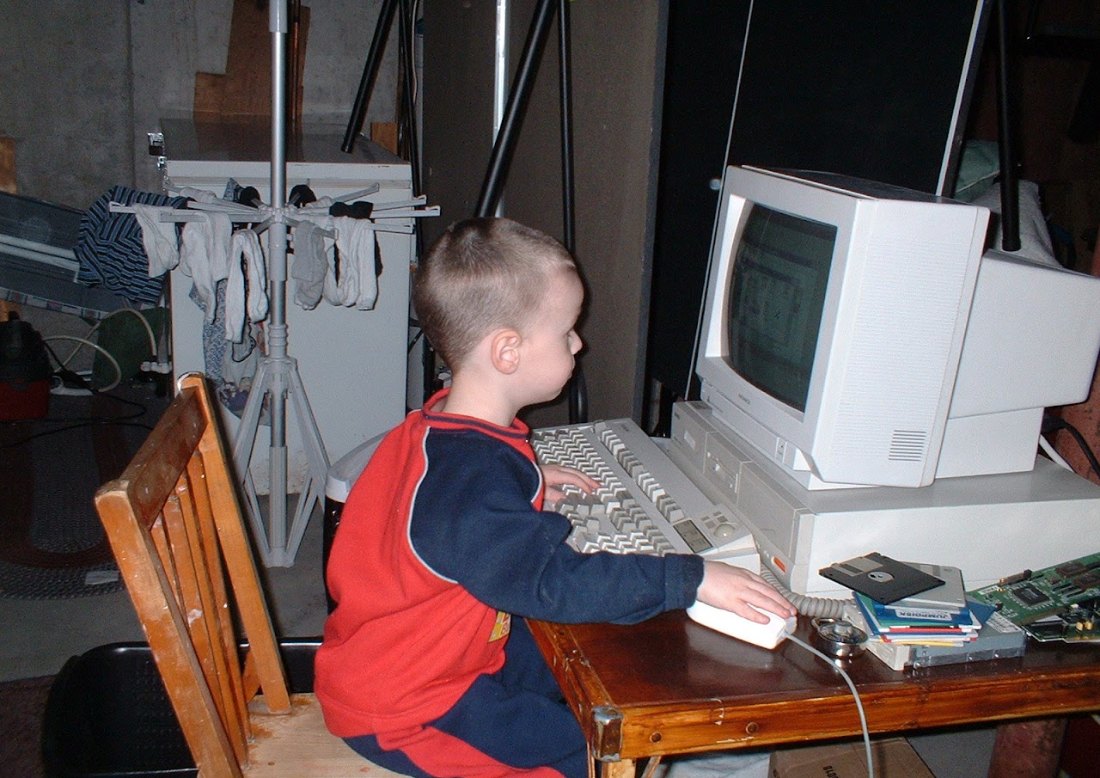
I have been tinkering since before I could read

My first computer showed up when I was about three: an NCR 486 running Windows 3.11 for Workgroups. I have been taking machines apart and (mostly) putting them back together ever since.

These days that curiosity pays the bills. I came to IT from the skilled trades, and the carpenter's rule still applies: measure twice, document the cut.

More about me Every machine I have owned

My first PC
Nicholas as a child at his first computer
Custom build
Inside a custom PC build with green and red lighting
Documentation

Runbooks I would hand to a team

Practical, step by step references for the work above.

AiTM phishing response

Confirm, contain, hunt persistence and recover a compromised Microsoft 365 account.

Open runbook

Entra app permission audit

Find and cut excess delegated Graph permissions with PowerShell.

Open runbook

Teams Phone migration

A checklist from discovery through cutover and 911 testing.

Open checklist
New message
Hiring?

Let's talk

If you need someone who secures Microsoft 365, keeps Windows and Linux infrastructure healthy and documents everything as he goes, I would like to hear about the role.